A connected day starts here

Your Learning Center.
Running in sync.

Students, staff, schedules, and families.
Bring your center's daily work together in one secure, connected platform.

Built for learning centers. Designed around security and privacy.

Designed around your center

All the moving parts.
One shared picture.

From the first check-in to the last learning note, keep the people and details that matter connected.

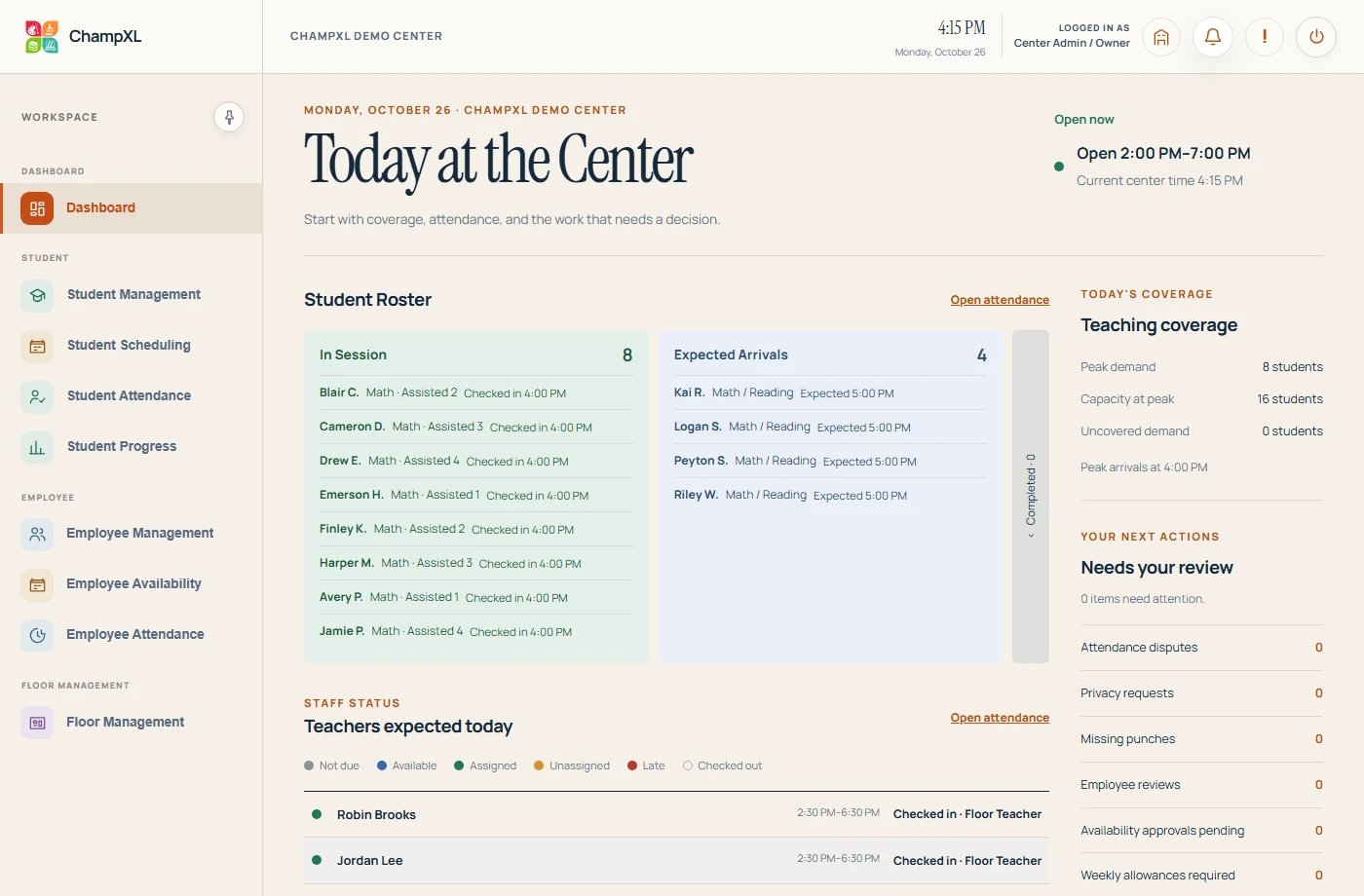
A clearer view of your dayActual product. Demonstration data.
Actual ChampXL center overview with synthetic student rosters, expected arrivals, staff coverage, and operational alerts. View full screen

Less switching between tools.
More of your center, together.

01 Students

Know the student.
See the whole picture.

Keep student profiles, attendance, schedules, and curriculum levels within reach. Give your team the context to support each learner's next session.

  • Organized student records and attendance
  • Session scheduling and current subject levels
  • Progress visibility for authorized staff and parents
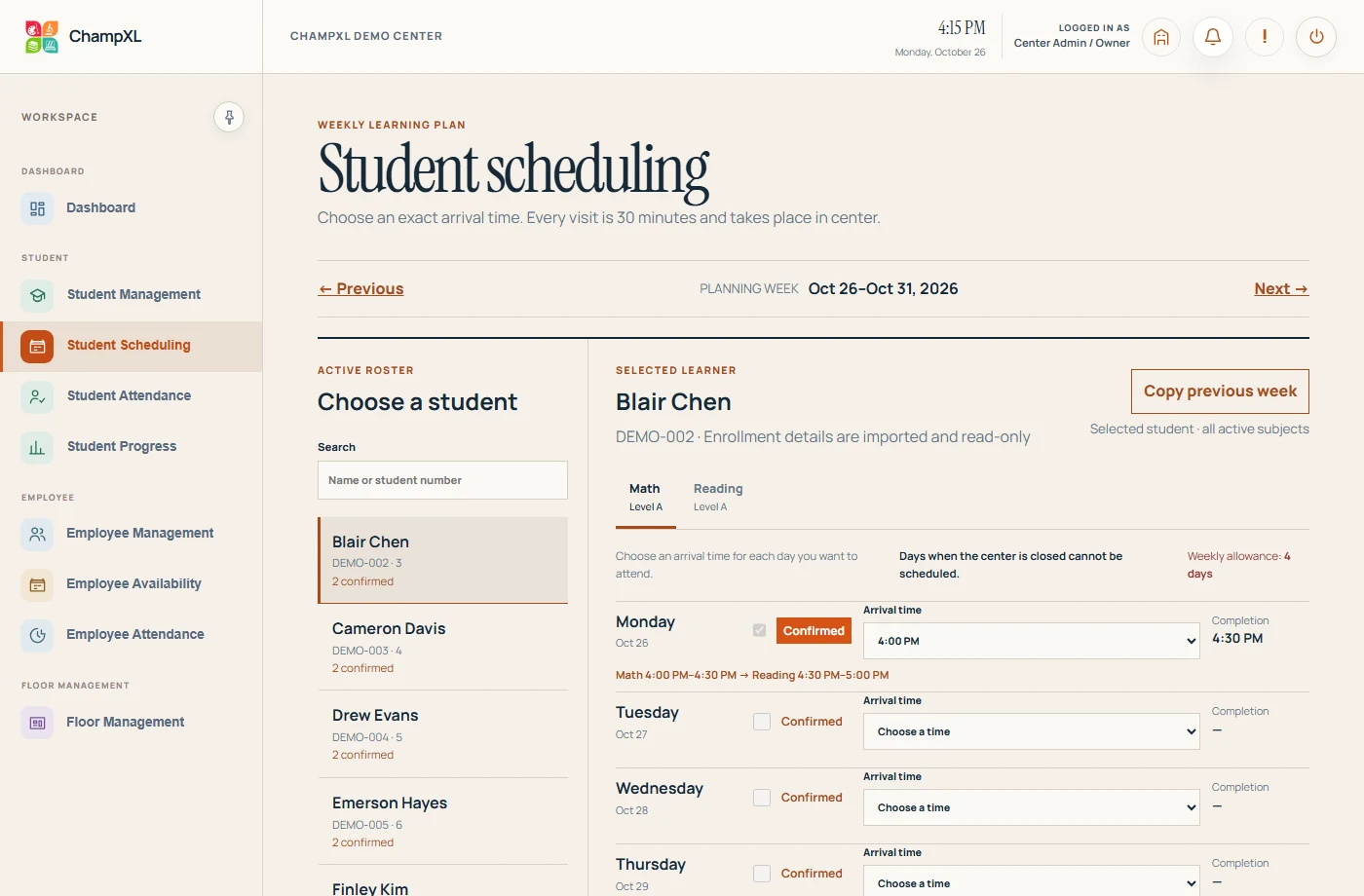
Actual ChampXL scheduling calendar with synthetic student sessions and arrival times. View full screen
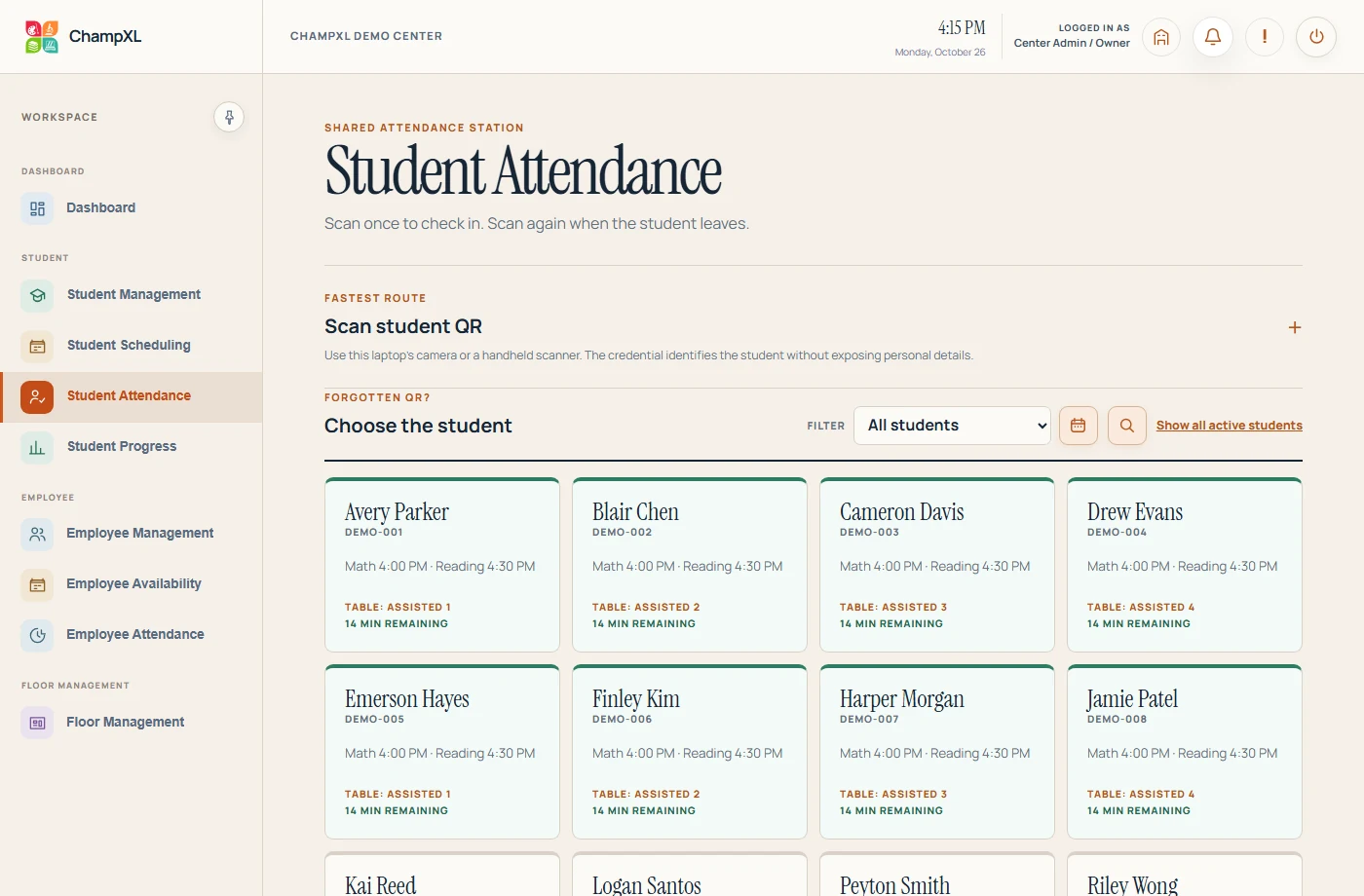
Actual student attendance workspace showing synthetic arrivals and in-session students. View full screen
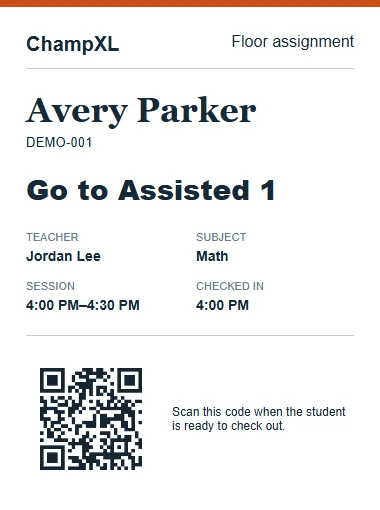
Actual printed student slip showing a fictional student's table, teacher, session and check-in time, with a nonfunctional demonstration checkout QR code.
Check-in & checkout slip
Demonstration QR only
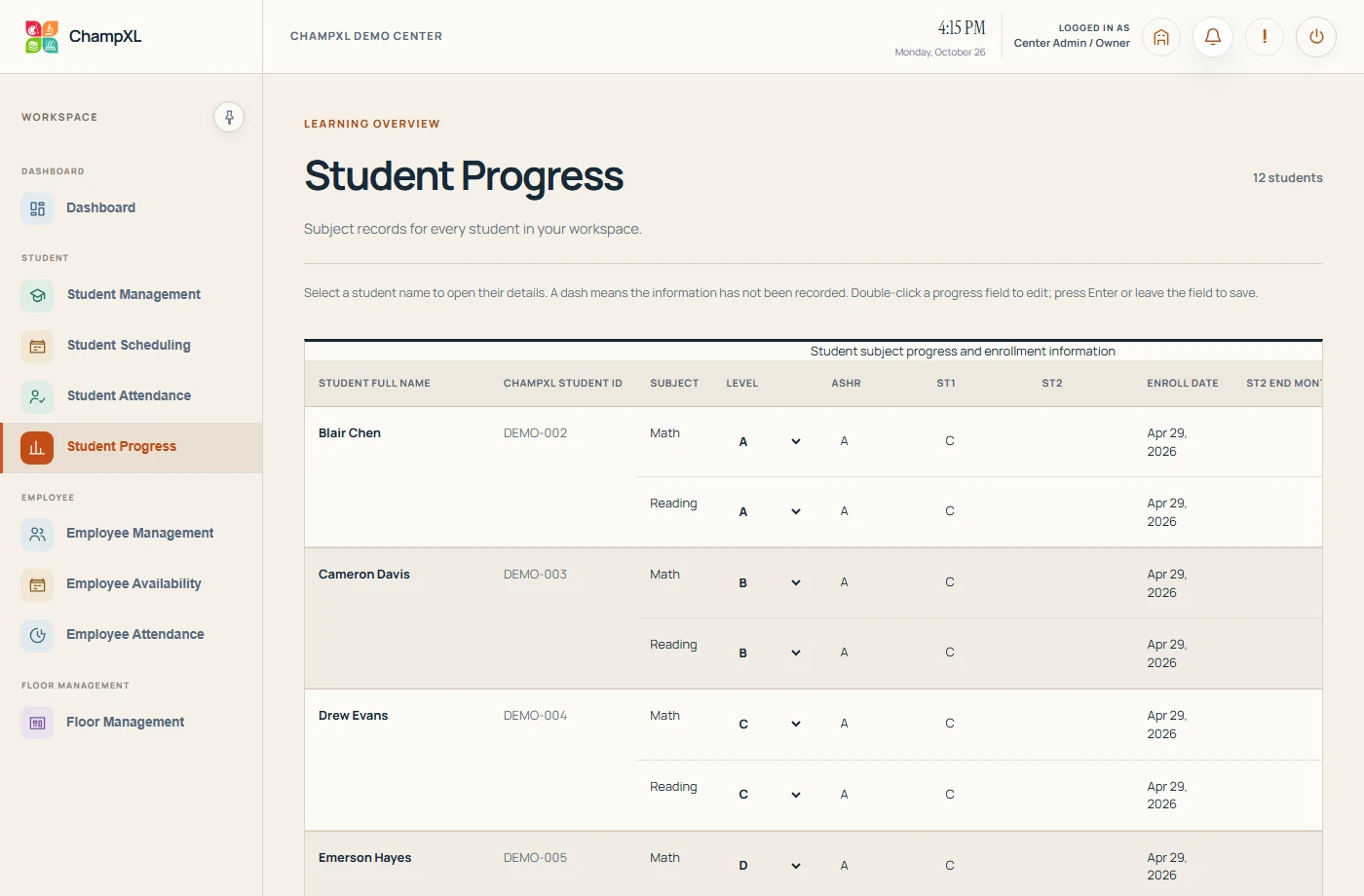
Actual student progress view showing demonstration learners, math and reading levels, and enrollment dates. View full screen

02 Your team

A coordinated team.
A better-organized day.

Bring staff availability, attendance, and recorded hours into the same workflow. Employees have their own portal to keep their work information close.

  • Employee profiles and availability planning
  • Shift check-ins and attendance corrections
  • Daily and weekly work summaries
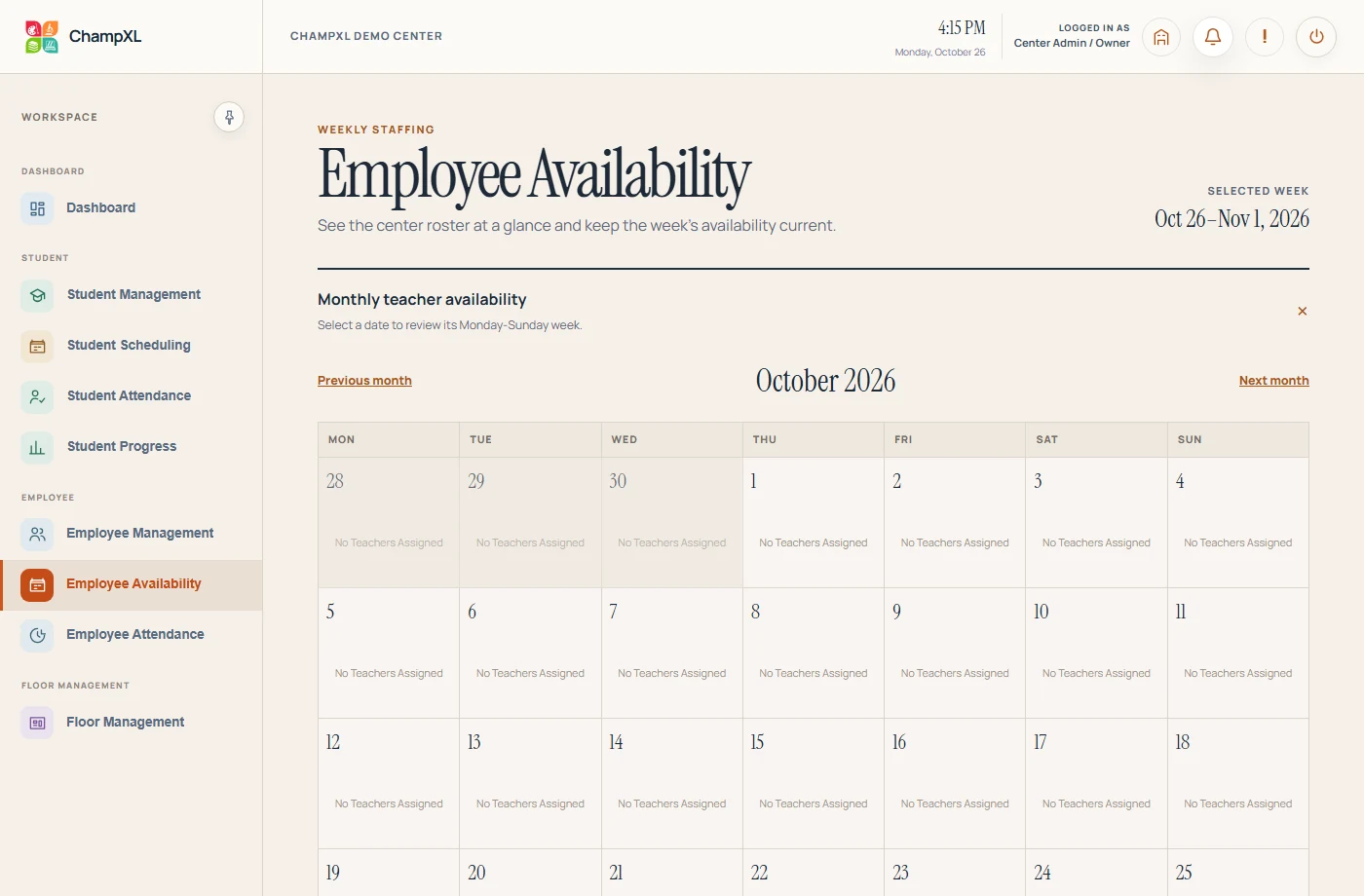
Actual employee availability planner populated with fictional demo instructors and their weekly availability. View full screen

03 Families

Keep parents
in the loop.

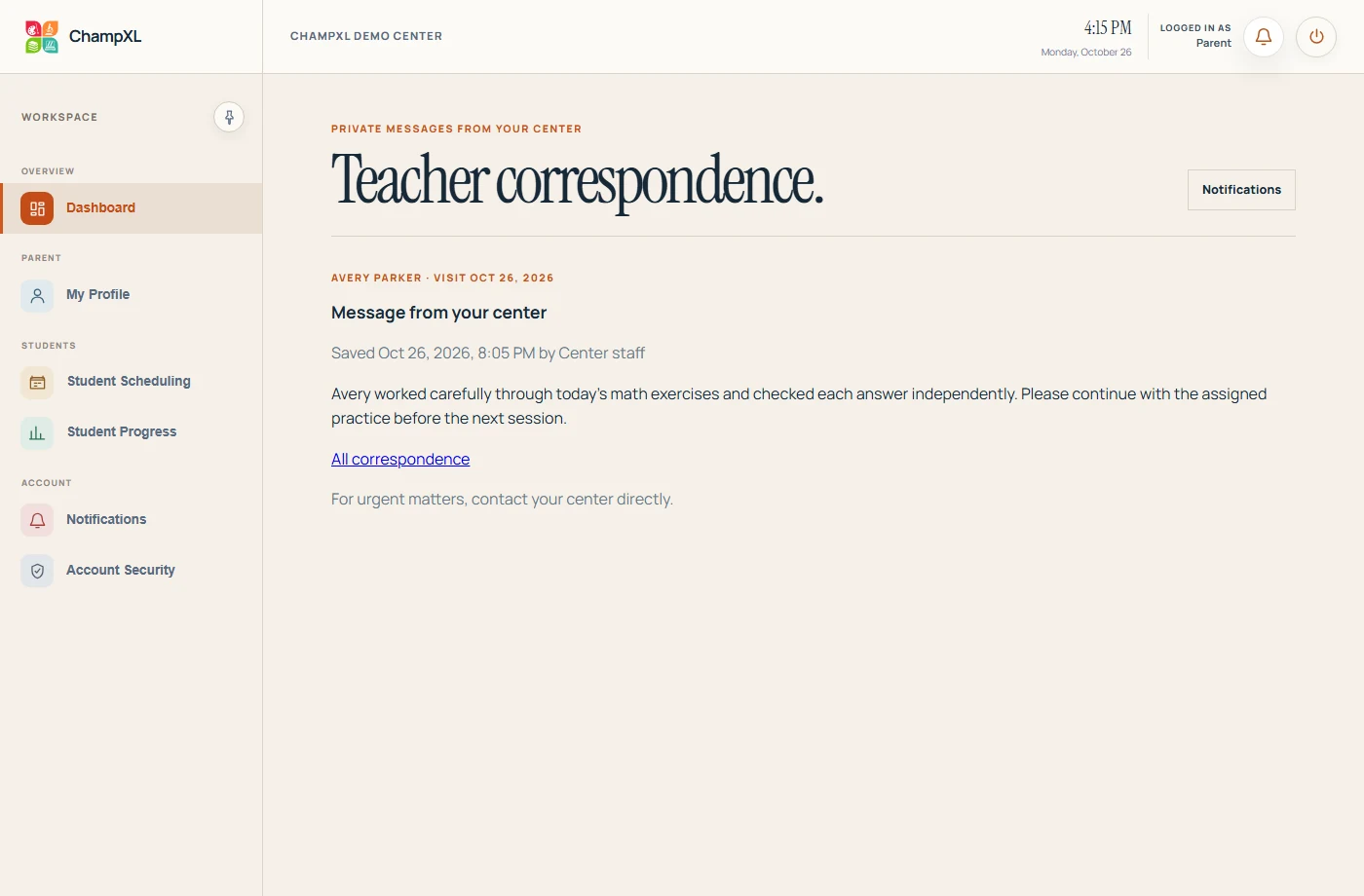
Give families a focused place for their linked students' schedules, progress, and teacher correspondence. Keep learning notes connected to the student they belong to.

  • A dedicated parent portal
  • Private teacher correspondence
  • Student-linked schedules and notifications
Actual parent portal displaying a fictional teacher learning note for a linked demonstration student. View full screen

04 TV projections

A clearer picture.
A calmer wait.

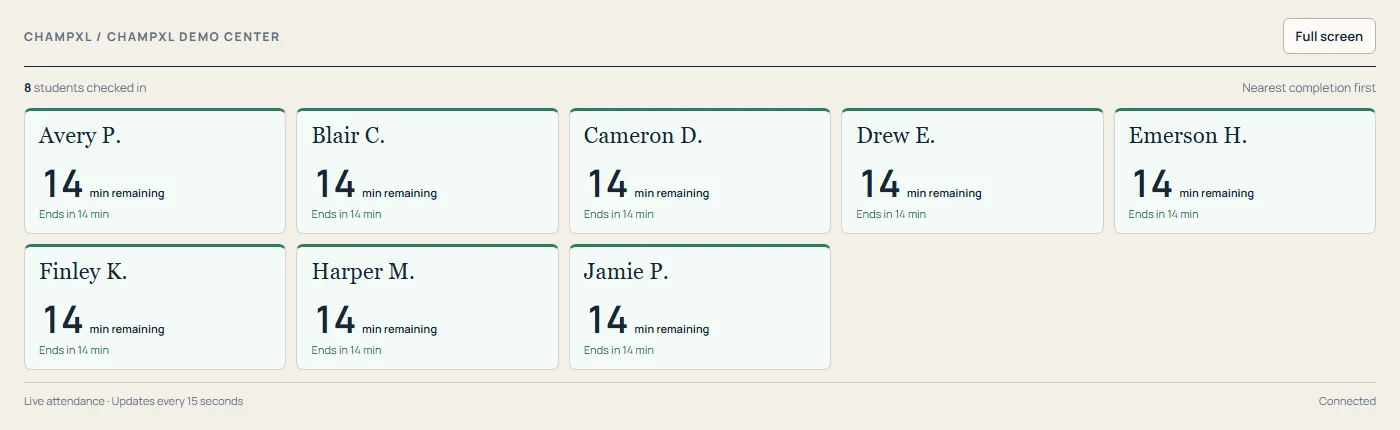
A shared TV display gives waiting families a clear view of students in session and the time remaining. That visibility can help ease the uncertainty of waiting while your team keeps teaching.

  • Live session countdowns at a glance
  • First or preferred name and last initial
  • Paired displays with automatic privacy clearing
Actual paired ChampXL TV board showing fictional students by first name and last initial, with live session countdowns. View full screen

A shared view of the session. A little more peace of mind.

05 On the floor

Bring clarity
to the busiest hours.

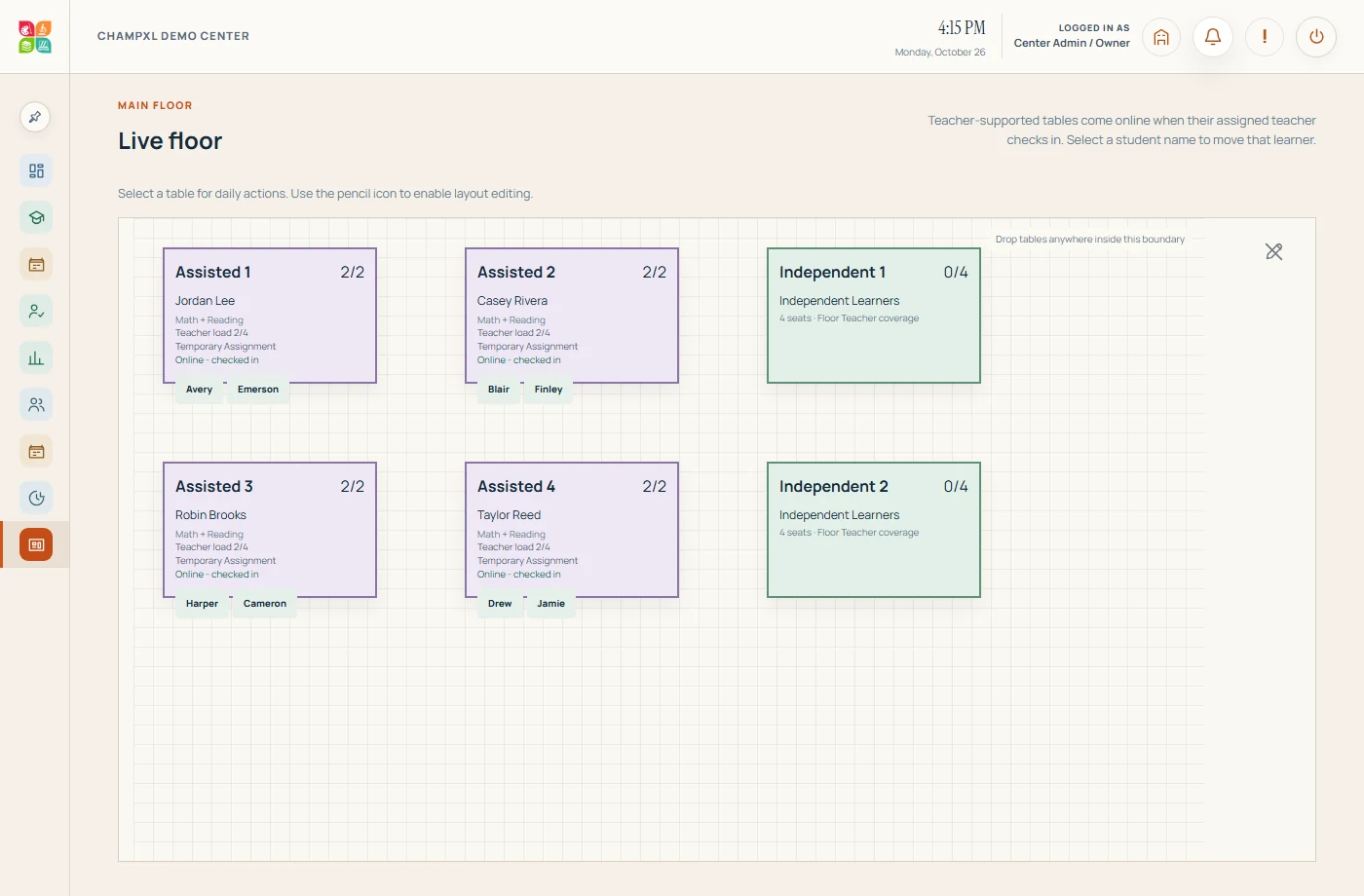
See tables, instructor coverage, and student placement in one floor workspace. Support arrivals with terminal check-in and paired session displays.

See it in a demo
Actual interactive floor workspace with demonstration tables, assigned instructors, and student placements. View full screen
Student placementInstructor coverageShared session displays

06 Learning workflows

A thoughtful workflow.
Right down to grading.

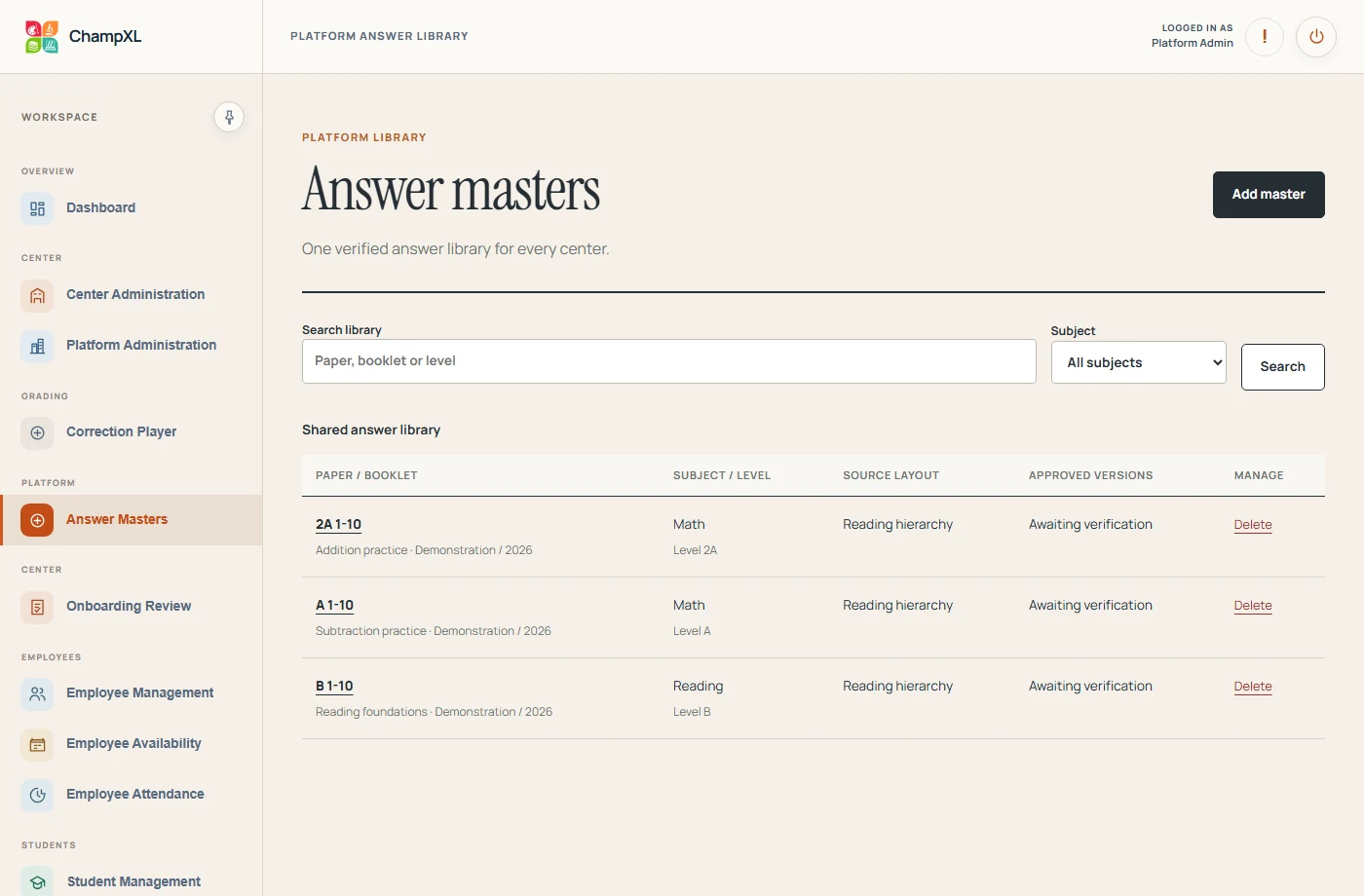
Organize answer masters, review versioned content, and support structured grading sessions. Audio narration is available where an approved audio workflow is enabled.

  • Answer master library and review workflows
  • Structured grading and recorded scores
  • Optional narrated learning content
Actual answer master library showing synthetic math and reading demonstration content, levels, and review statuses. View full screen

One connected platform

Different roles.
A shared rhythm.

Owners see daily operations. Staff coordinate their work. Parents stay connected to their students. ChampXL brings those workflows together, with access shaped around each role.

Find the right fit for your center
CHAMPXLYour center, connected.
01

Center owners

Daily visibility and oversight

02

Instructors & staff

Schedules, attendance, and work information

03

Parents & families

Linked students and center communication

04

Daily operations

Floor coordination and grading workflows

Security & privacy

Security at the core.
Privacy in every detail.

Student and family information deserves thoughtful protection. Safeguards are built into how people sign in, access records, and share information.

01

Encrypted connections. Protected sensitive fields.

HTTPS protects information in transit. Sensitive identity fields are encrypted when enabled, adding protection for information that needs particular care.

02

The right access, for the right people.

Center-scoped records and role-based access keep each center's information separate. Parents can access only their currently linked students.

03

Privacy on shared screens, too.

TV displays use a first or preferred name and last initial. Expiring device pairing and automatic clearing when updates become unavailable help limit shared-screen exposure.

04

Oversight with accountability.

Privacy request tracking, preservation holds, authorized exports, and recorded actions support controlled review. Operational alerts and scheduled communications help your team follow up.

Make room for a more connected day

Less to coordinate.
More room to focus.

See how ChampXL can support the everyday work of your learning center.

Request a Demo

Opens your email app. Or write to support@champxl.com.

Feature availability depends on your center's package and configuration. Product screenshots use fictional demonstration data.